3D replay and the AI view
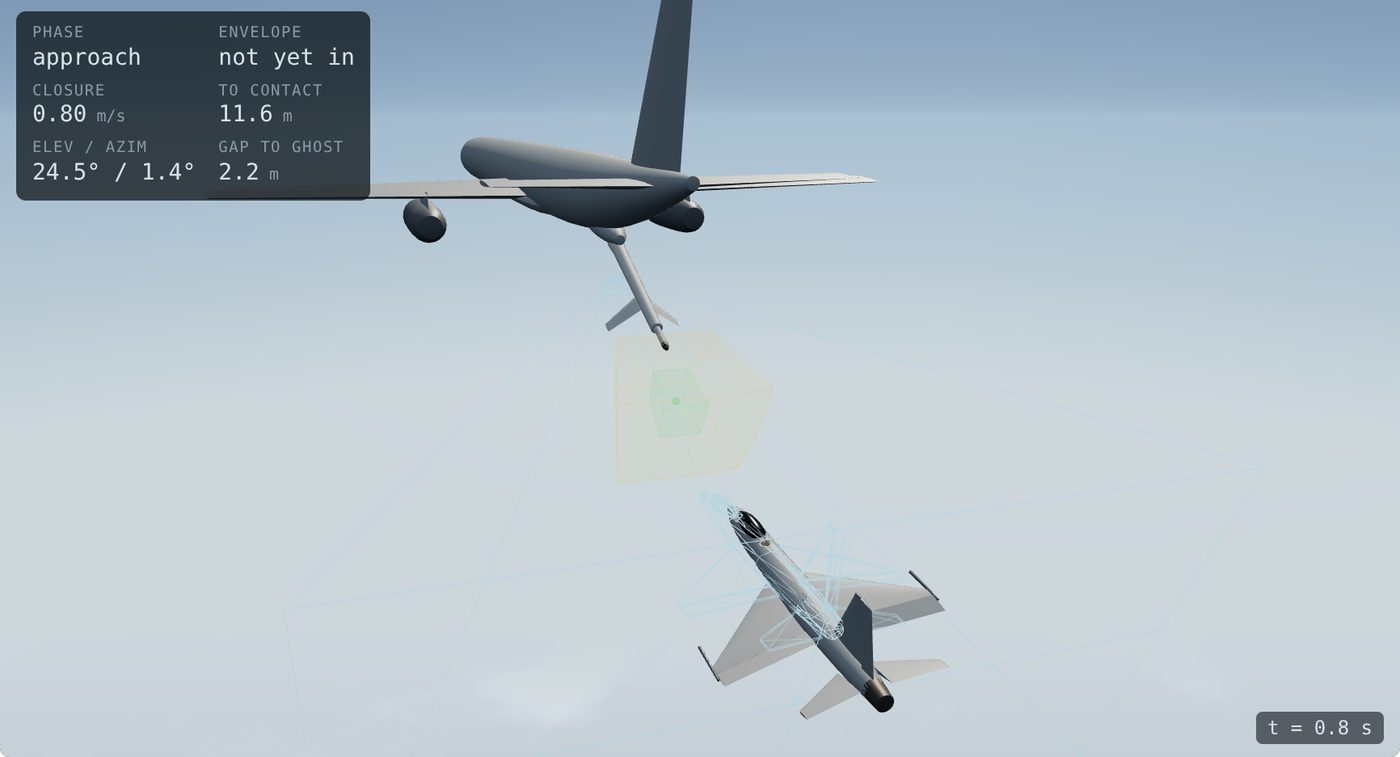
The 3D pane on the debrief rebuilds the engagement from the tracked pose and shares the video's playhead. Drag to orbit, scroll to zoom.
Camera presets#
- Boom camera: the tanker camera's own view, matching the video.
- Chase and Side: outside views that show closure and vertical offset clearly.
- Top: lateral drift and alignment.
- Receiver cockpit: what the receiver pilot saw.
Readouts#
The panel in the corner shows the phase, envelope state (not yet in, inside, ideal), closure rate, distance to contact, boom elevation and azimuth, and the gap to the ghost if one is shown.
Ghosts#
Overlay a second trajectory on the same clock: the ideal approach for the receiver type, or the pilot's best sortie. The gap readout says how far the pilot was from it at each moment.
Control surfaces#
Choose the source: from video, from flight data, or the fused estimate. The exaggerate slider multiplies deflections so small inputs are visible; the number is shown so no one mistakes it for the real angle.
How the AI sees#
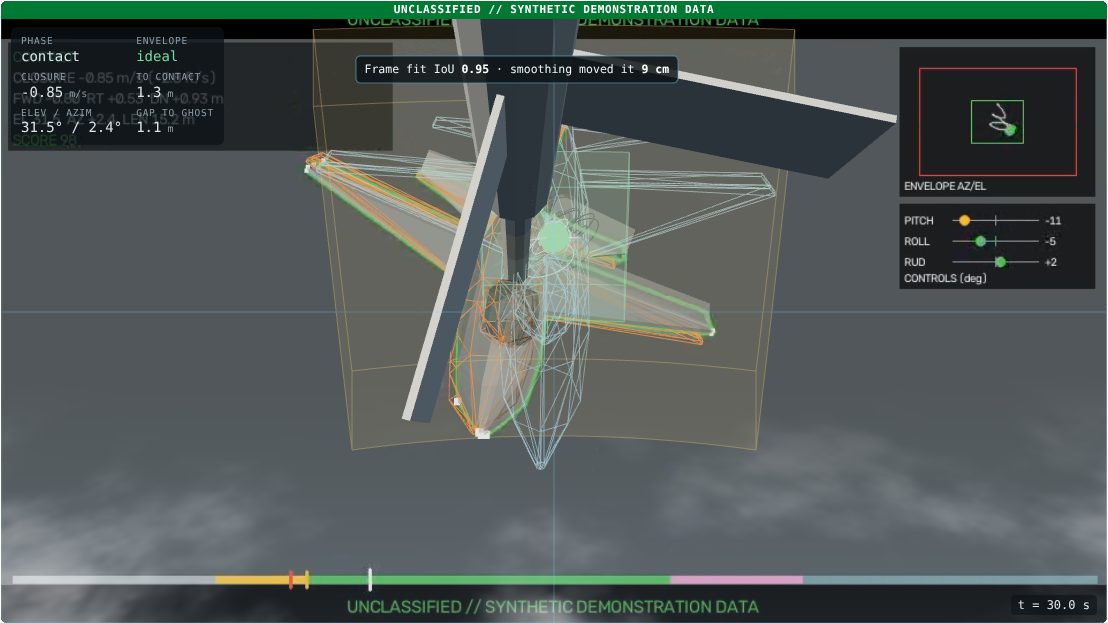
Freezes the current frame and shows the fitted wireframe on the receiver, the raw per-frame fit and the smoothed track together, with the fit quality (IoU) and how far smoothing moved the pose. Use it to judge whether a number at that moment can be trusted.
Replay a deviation#
Each warning and critical event appears as a button under the view with its time and damage exposure. Click it to jump there, slow down, and switch to the angle that shows it best.
Fleet envelope#
Debrief → Fleet envelope plots the receptacle position from every assessed sortie in one 3D cloud. Filter by receiver, unit, pilot or phase and color by score or envelope zone to see where the fleet drifts.